How to choose your Arai helmet sticker: the 5-step guide
Share
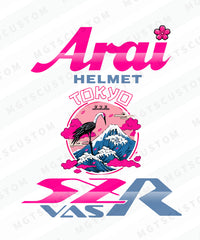
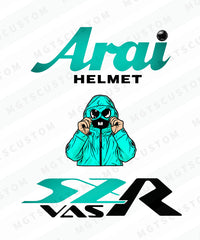
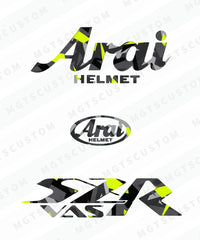
An Arai SZ-R helmet is a large white or black surface with dozens of ways to personalize it. To help you choose, here is how to navigate the more than 60 M-GTS Custom designs.
1. Start with your model
The stickers are designed for a specific helmet shape: the SZ-R Vas line for the Arai SZ-R Vas, the SZ-R Evo line for the Arai SZ-R Evo. They are not interchangeable. If you are unsure, check your helmet's label or read how to tell an SZ-R Vas from an SZ-R Evo.
2. Choose your theme
- Countries and flags: France, Algeria, Morocco, Tunisia, Turkey, Portugal. The simplest choice to display your origins.
- Deco and design: rap, football, motorcycle and car brands, street culture. The largest collection.
- Anime and manga: characters and universes adapted to the shape of the shell.
- Solid colors: your helmet lettering in a single color, understated and clean.
- Reflective: to be seen at night without sacrificing style. First, read what the law says in France.
3. Think about the color of your shell
A light sticker stands out on a dark helmet, a dark sticker on a light helmet. Bright colors (orange, green, pink) work almost anywhere, while tones close to your shell give a more understated look. If in doubt, see how it looks on a helmet with the 3D preview.
4. Decide on the size
Each design is available in original size and Light size. The original size goes on the front, replacing the original lettering; the Light size goes on the sides, at the back, or on top. The smartest choice: a large design on the front and a Light version of the same design on the side.
5. Put together your set
The 3rd sticker is free automatically when you buy 3 stickers, and shipping is free on orders over €30. Three matching stickers give your helmet a cohesive, custom-designed look.
Once you have made your choice, all that is left is the application: the application guide will walk you through it in four steps.
M-GTS Custom is an independent brand, with no official connection to Arai Helmet or the brands or clubs featured in some designs.